Results
Viewing Measurement Results
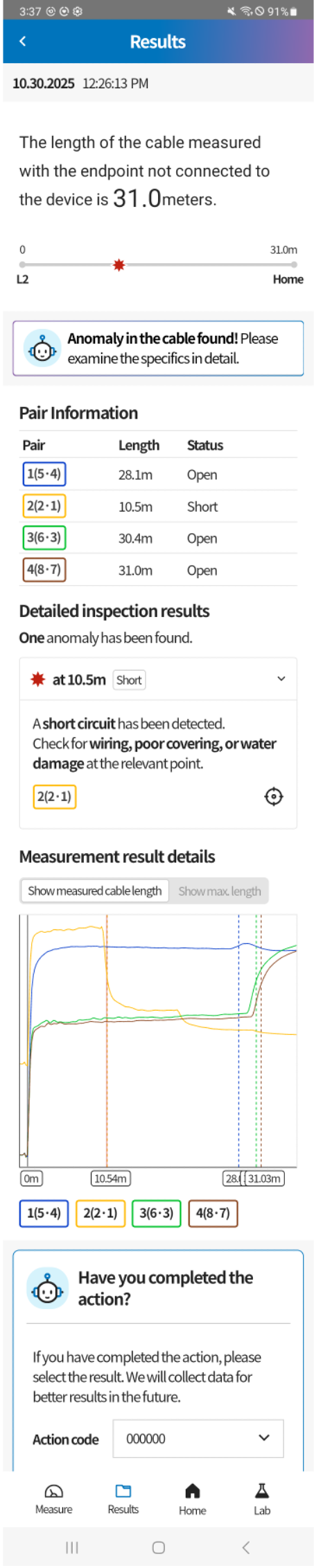
On the measurement results page, you can pinpoint failure cable sections based on TDR measurement data analyzed by AI. Each item provides the following information:
1. Line Graph

View the overall cable length and points of anomaly on a one-dimensional graph.
2. AI Analysis Summary

View a summary of the causes of issues detected by AI.
3. Pair Information
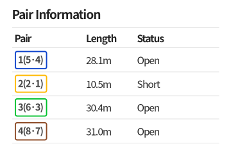
View the length and status of each pair in a table format.
4. Detailed Inspection Results
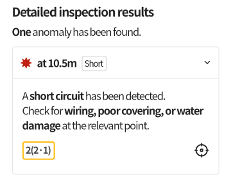
View detailed information on detected issues and their causes.
5. Measurement Result Details
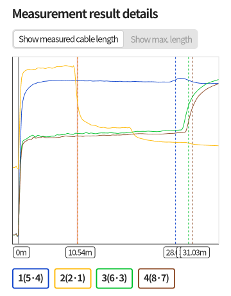
View two-dimensional TDR waveform graphs. This graph is displayed only when "UI for experts" is enabled in the "Lab" menu.
6. Action Log
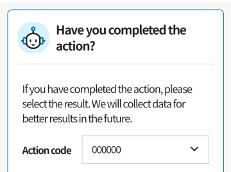
Record actions taken, such as cable replacement, based on the identified issues.
Viewing Measurement History
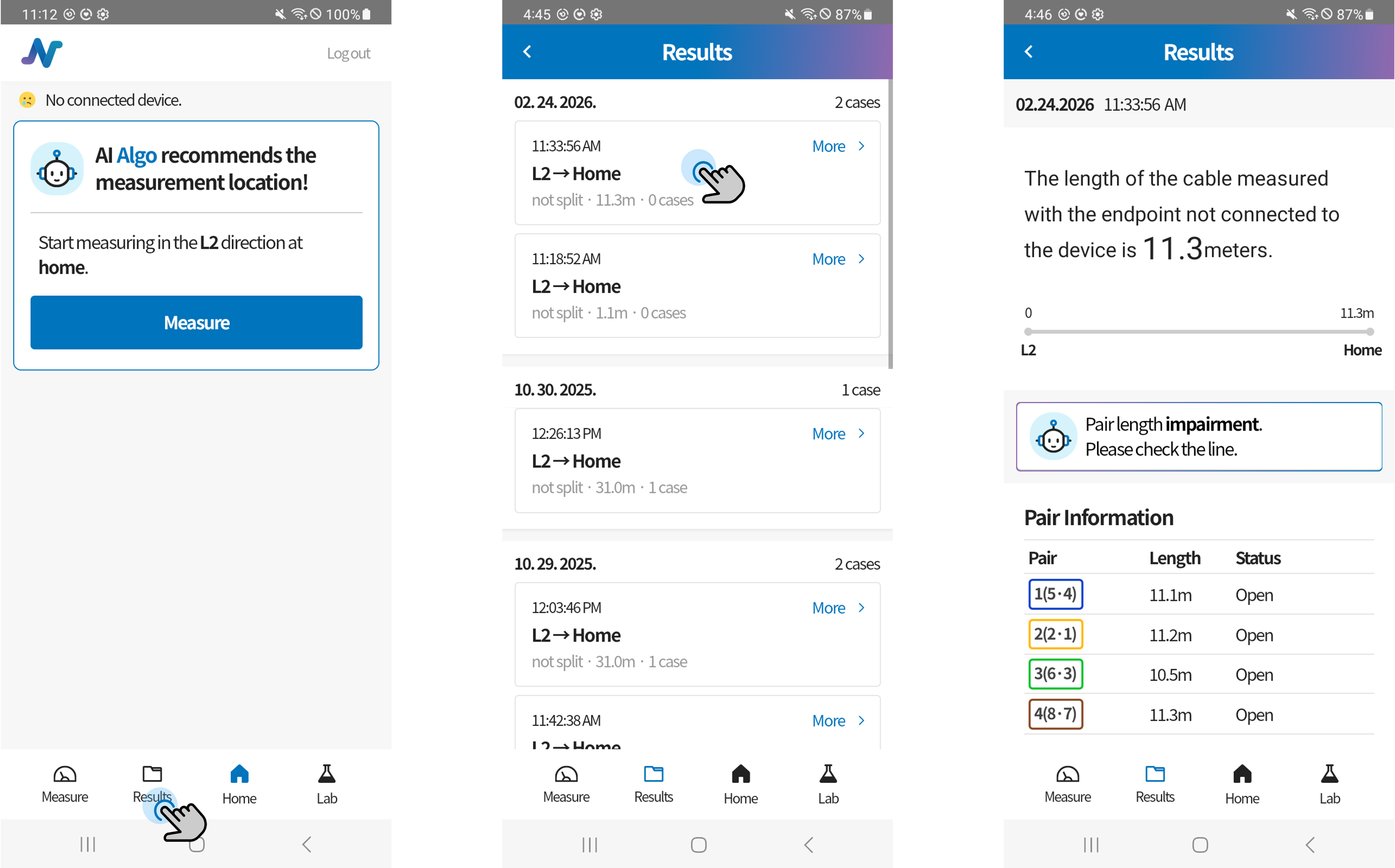
You can view all previous measurement results in the "Results" menu. Click an item to navigate to the detailed measurement results page.